
Entertainment & Attractions
Management software for amusement parks and attractions
Ticketing, park cards, locker management and digital maps for amusement parks, theme parks and entertainment venues — four systems for keeping entry, payments and visitor movement under control on a busy day.
Venue operations
Where a park's operating day slows down
Queues at the gate, cash at every counter, visitors asking for directions and lockers tracked on paper all cost time on the busiest days. Each product takes on one of them.
We develop software for the industry; we do not manufacture rides, turnstiles or other equipment. Where hardware is involved — kiosks, scanners, displays — our software is configured for the devices you use.
Entry queues build because tickets are issued and checked by hand.
Ticketing SystemQR tickets sold online, at kiosks and at counters, validated at the gate.
Cash changes hands at every ride, stall and game, and is hard to reconcile.
Park CardOne rechargeable park card, scanned to pay at any counter.
Locker availability, rentals and faults are tracked on paper.
Locker ManagementEvery locker's status by zone, with check-in and check-out recorded.
Visitors cannot find attractions, food or facilities, and ask staff instead.
Digital Map SystemAn interactive map with route guidance on phones and on-site displays.
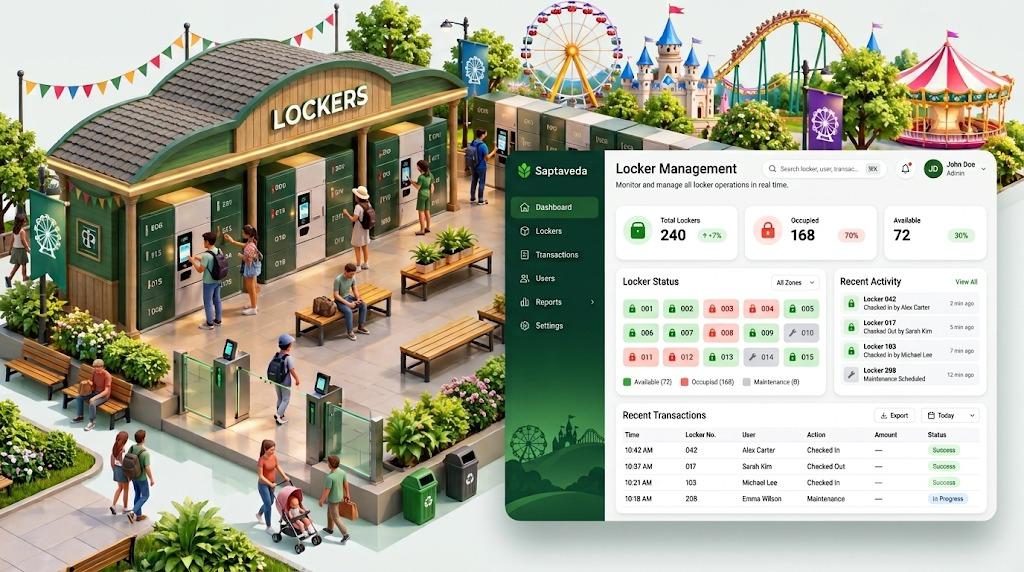
Locker Management
Locker rentals, live availability and maintenance status for every zone in the venue.
Visitors rent a locker at a self-service terminal and collect their belongings at the end of the visit. Operations staff see every bank of lockers by zone — free, occupied or out of service — and every check-in and check-out is recorded against the locker, so disputes and lost keys can be traced.
Key features
- Live locker status by zone: available, occupied, under maintenance
- Rental check-in and check-out recorded per locker
- Self-service terminals beside the locker banks
- Maintenance flags that take a locker out of service
- Activity log and transaction history, exportable
- Usage reporting by day and by zone
How it works
- Step 1
Visitor selects a free locker
- Step 2
Rental starts at check-in
- Step 3
Belongings collected at check-out
- Step 4
Status updates for staff immediately
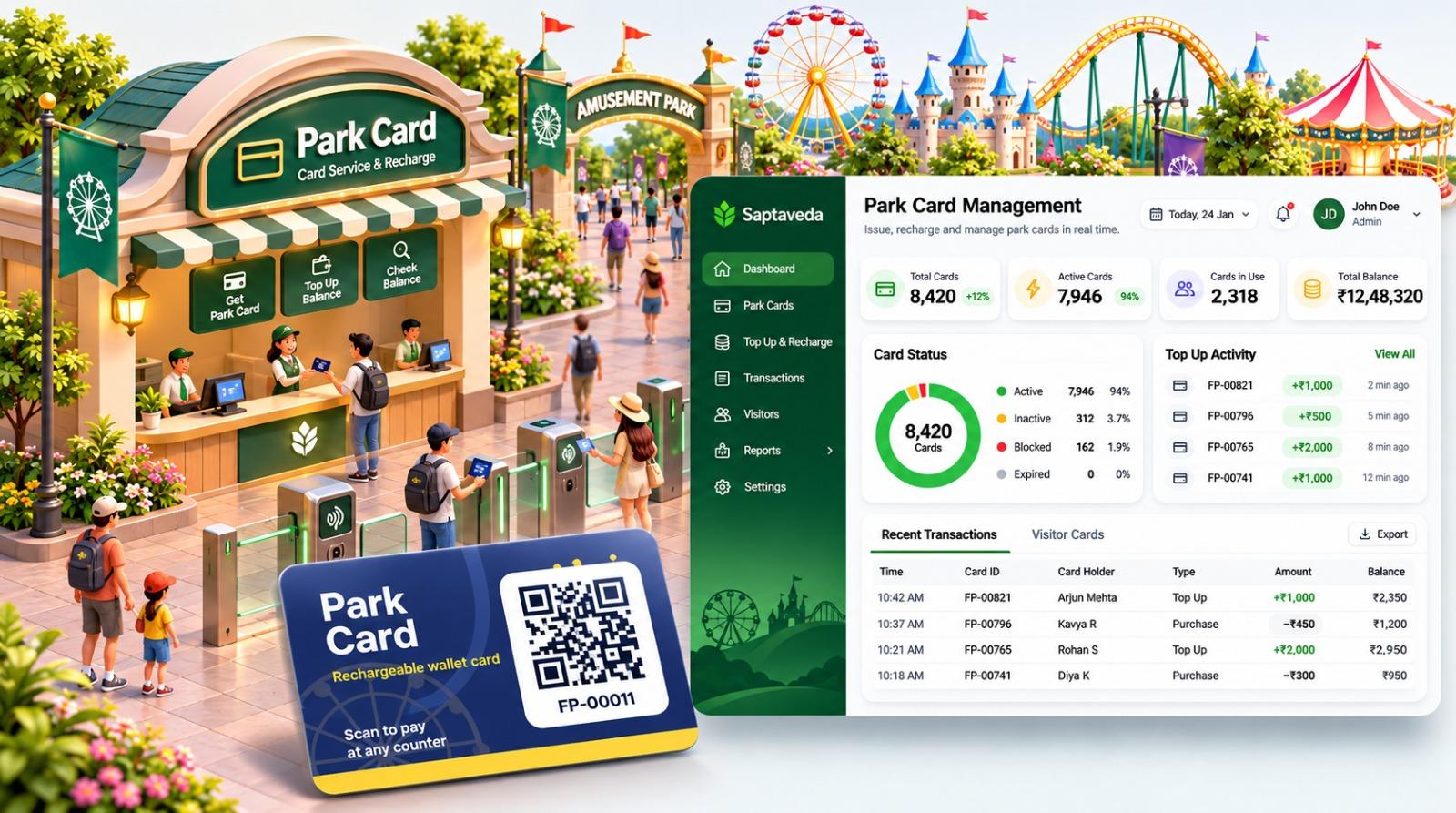
Park Card
A prepaid park card visitors load once and use to pay at counters across the venue.
Instead of handling cash at every ride, food stall and game, visitors load a park card at a service counter and scan it to pay. Each card carries its own balance and history, and management sees issuing, top-ups and spending in one dashboard rather than reconciling separate tills.
Key features
- Card issue and balance top-up at service counters
- Scan-to-pay at rides, food outlets and game counters
- Card status: active, inactive, blocked or expired
- Balance checks for visitors and staff
- Transaction history for every card
- Top-up and spend reporting by day
How it works
- Step 1
Card issued at the counter
- Step 2
Balance loaded or topped up
- Step 3
Card scanned to pay around the park
- Step 4
Balance and history tracked per card
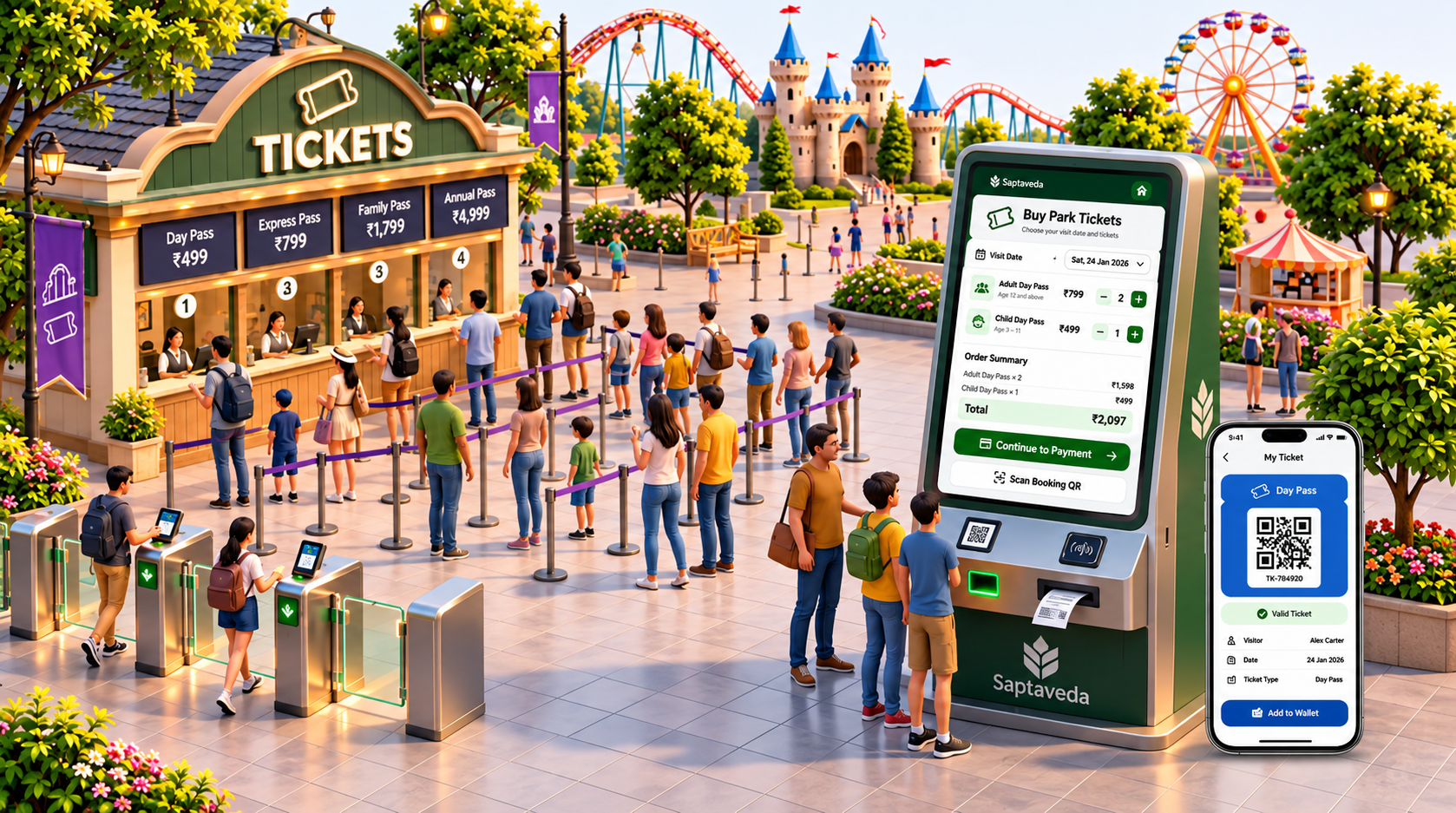
Ticketing System
Online, kiosk and counter ticket sales with QR entry at the gate.
Visitors choose a visit date and ticket type — day, express, family or annual pass — and receive a QR ticket on their phone, whether they buy online, at a self-service kiosk or at the counter. Tickets are scanned at the entry gates, and sales from every channel settle into one set of figures at the close of the day.
Key features
- Ticket types such as day, express, family and annual passes
- Visit-date selection with an order summary before payment
- Self-service ticket kiosks alongside counter sales
- QR tickets on the visitor's phone, with add-to-wallet
- Ticket scanning and validation at entry gates
- Online, kiosk and counter sales reconciled daily
How it works
- Step 1
Visitor picks a date and tickets
- Step 2
Payment taken, QR ticket issued
- Step 3
Ticket validated at the gate
- Step 4
Sales reported across channels
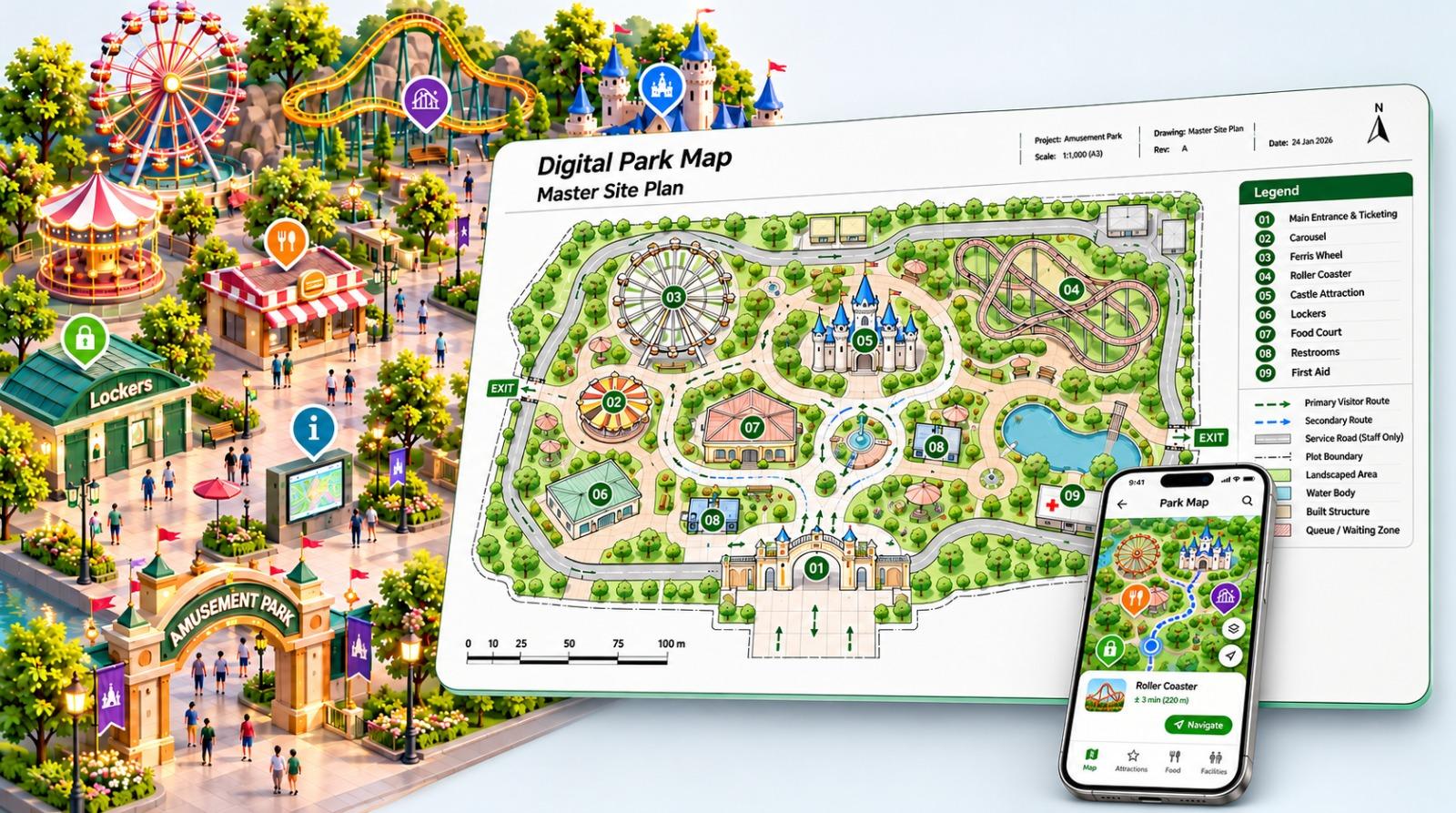
Digital Map System
An interactive venue map that helps visitors find attractions, food and facilities.
A digital map built from the venue's own site plan. Visitors find rides, food outlets, lockers, restrooms and first aid on their phone or on information displays around the park, and follow a route with an estimated walking time — fewer visitors stopping staff for directions.
Key features
- Interactive map drawn from the venue's site plan
- Attractions, food, lockers, restrooms and first aid marked
- Filters for attractions, food and facilities
- Route guidance with estimated walking time
- Works on phones and on-site information displays
- Map points updated by the venue team
How it works
- Step 1
Site plan digitised and labelled
- Step 2
Visitor opens the map
- Step 3
Destination chosen by category
- Step 4
Route shown with walking time
One visitor day
How the four products work together
Each product stands on its own and covers one part of the visit. Together they take a visitor from the gate to the last ride — and a venue can start with one and add the others as its needs grow.
- 01
Arrive
Ticket bought online or at a kiosk, scanned at the gate.
Ticketing
- 02
Store
Bags left in a rented locker for the day.
Lockers
- 03
Find
Attractions, food and facilities located on the map.
Digital Map
- 04
Spend
Rides, food and games paid for with one card.
Park Card
- 05
Review
Sales, top-ups and usage reported at close of day.
All four
Need something beyond these four? Custom software development covers venue-specific requirements.
Planning technology for your venue?
Tell us about your park or attraction — visitor numbers, current systems and where the day slows down — and we will suggest where to start.
Or email us directly